AI Inbox
Classifies every email, identifies the customer, pulls in the context and proposes a reply or an action.
Example: creates the task in the CRM and leaves the reply ready for review.

Digitup Studio is a technical studio in Madrid that designs and builds custom AI agents: they read your email, documents and CRM, prepare the work and carry it out under your rules, with human approval wherever it is needed.
Definition
An AI agent is software that receives a goal, looks up the information it needs and decides which tool to use at each step: reading an email, searching a contract, checking the CRM or creating a task. The language model interprets the text; permissions, rules and logging decide what the agent is allowed to do. That is what separates a demo from an agent your team can rely on.
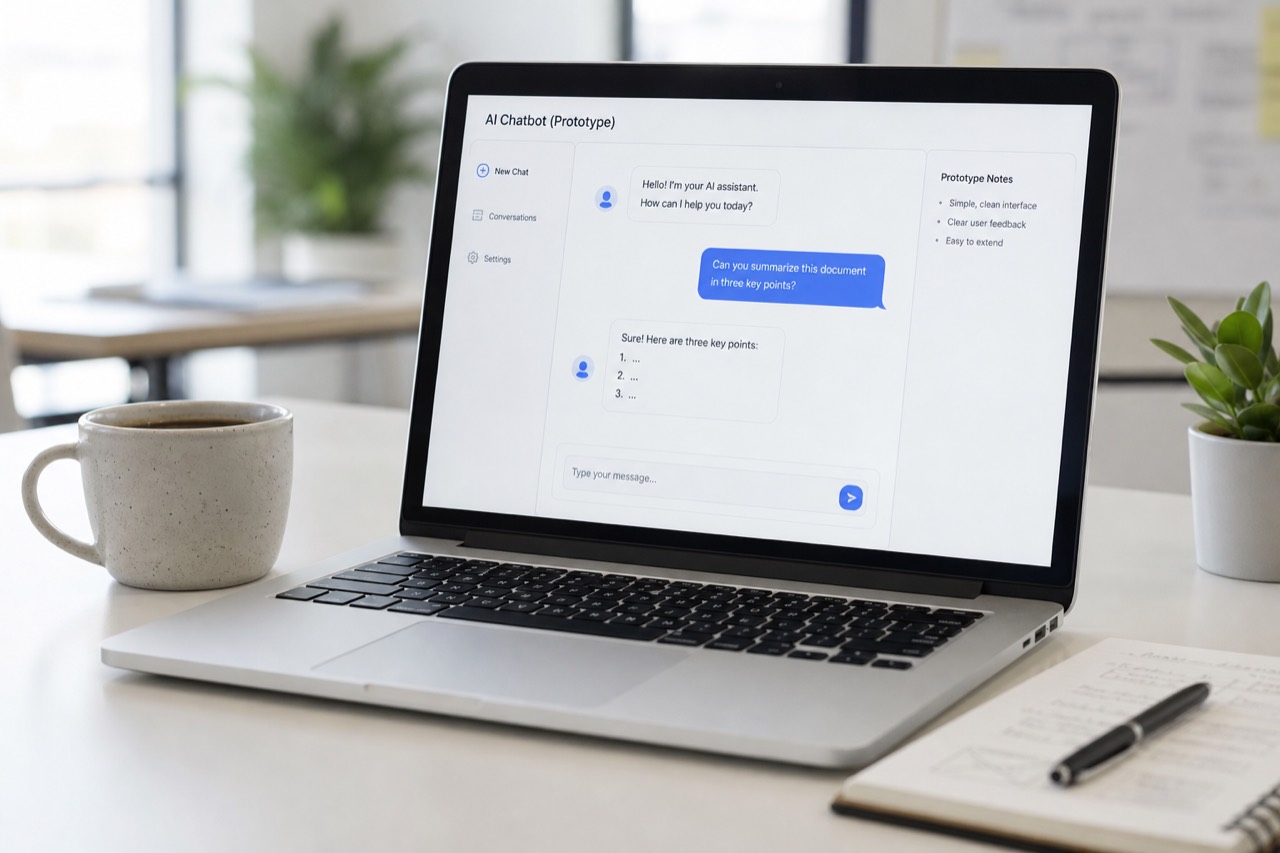
A chatbot converses: it answers questions and, at most, hands the conversation over to a person. An agent acts: it reads and writes in your systems, chains steps together and follows business rules. For conversational customer support, see AI chatbots; for the wider picture, see AI for business.
Use cases
The ones that currently force someone to read, search, copy and write across several tools.
Classifies every email, identifies the customer, pulls in the context and proposes a reply or an action.
Example: creates the task in the CRM and leaves the reply ready for review.
PDFs, contracts and invoices that get classified, become searchable and turn into data.
Example: extracts amounts and dates and sends them to the ERP.
Ask your company what happened with a client or where the April proposal is.
Combines RAG with CRM queries.
First-line support on the web, WhatsApp or Telegram: answers, looks up data and hands over to a person.
Real case: AI for a virtual call center, translations and support at Mallorcab.
Classifies incoming contacts, completes the CRM record and prepares the follow-up.
Example: qualifies an incoming WhatsApp message and assigns it with a summary.
Updates statuses across systems, spots missing data and prepares reports.
Example: classifies an incident by urgency and alerts the person in charge.
Human approval
The AI prepares the work; people keep making the decisions. Only reversible, low-risk actions run without review.
Integrations
Through your tools' APIs and a dedicated backend that controls permissions, credentials and logging. The agent only gets the access its task requires.
Each integration is a tool the model can ask to use, such as "find customer" or "create task", and the backend checks permissions before running it. There is also an open standard for giving models tools, the Model Context Protocol (MCP), which is useful when several AI applications share the same tools; for a single workflow, a direct API integration is usually enough.
If your ERP works, it stays: the agent is AI built on top of the systems you already have, not a replacement for them. If the agent answers from internal documents, the key piece is RAG (retrieval-augmented generation) with control over permissions and sources, so that answers only draw on documents each user is allowed to see.
Models
We integrate OpenAI, Anthropic, Gemini, DeepSeek or Perplexity depending on quality, cost, speed, privacy and the type of task.
| Criterion | What we look at | When it matters most |
|---|---|---|
| Quality | How well it follows instructions and uses tools on your cases | Multi-step tasks and customer-facing text |
| Cost | Price per use at your real request volume | Classifying thousands of emails or documents |
| Speed | Response time within the full workflow | Live support over chat, WhatsApp or voice |
| Privacy | The provider's terms of use and data retention | Personal or confidential data |
| Type of task | Text, documents, images or web search | Multimodal tasks or tasks that need up-to-date information |
We don't publish rankings because they change every few months: we choose by testing on your cases. For current information from the web, Perplexity offers answers with web search and citations. As in Rescrito and AlisaBot, we keep the model layer separate so providers can be switched or combined without rebuilding the system.
Security and data
Yes, as long as the agent has only the permissions it needs, every action is logged and sensitive decisions go through a person.
According to the European Commission, the EU AI Act has applied since 2 August 2026, with some exceptions. It requires people to be told when they are interacting with a machine, for example a chatbot, and it treats uses such as CV sorting for recruitment as high-risk, with obligations from 2 December 2027. We take this into account when designing an agent, but we do not provide legal advice, and if your users are outside the EU other rules may also apply.
We look at which part of the process improves with AI, which data and tools need to be connected, and which decisions stay with a person.
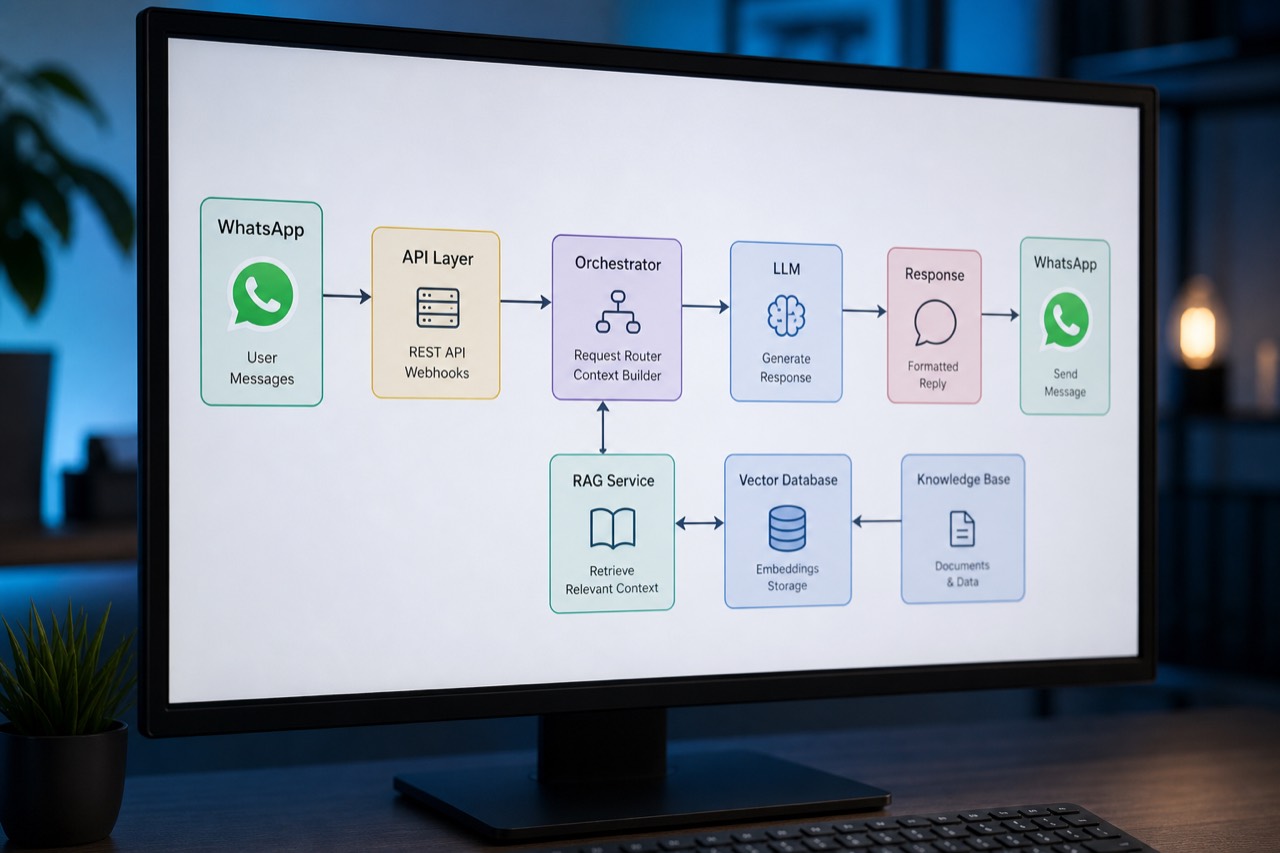
We define the model, backend, database, prompts, memory, RAG, rules, the agent's tools and the approval points.
A working prototype to validate answers, costs and real usefulness with cases from your day-to-day work.
We connect email, web, WhatsApp, CRM, ERP, Google Sheets, databases or external APIs, with permissions and logging.
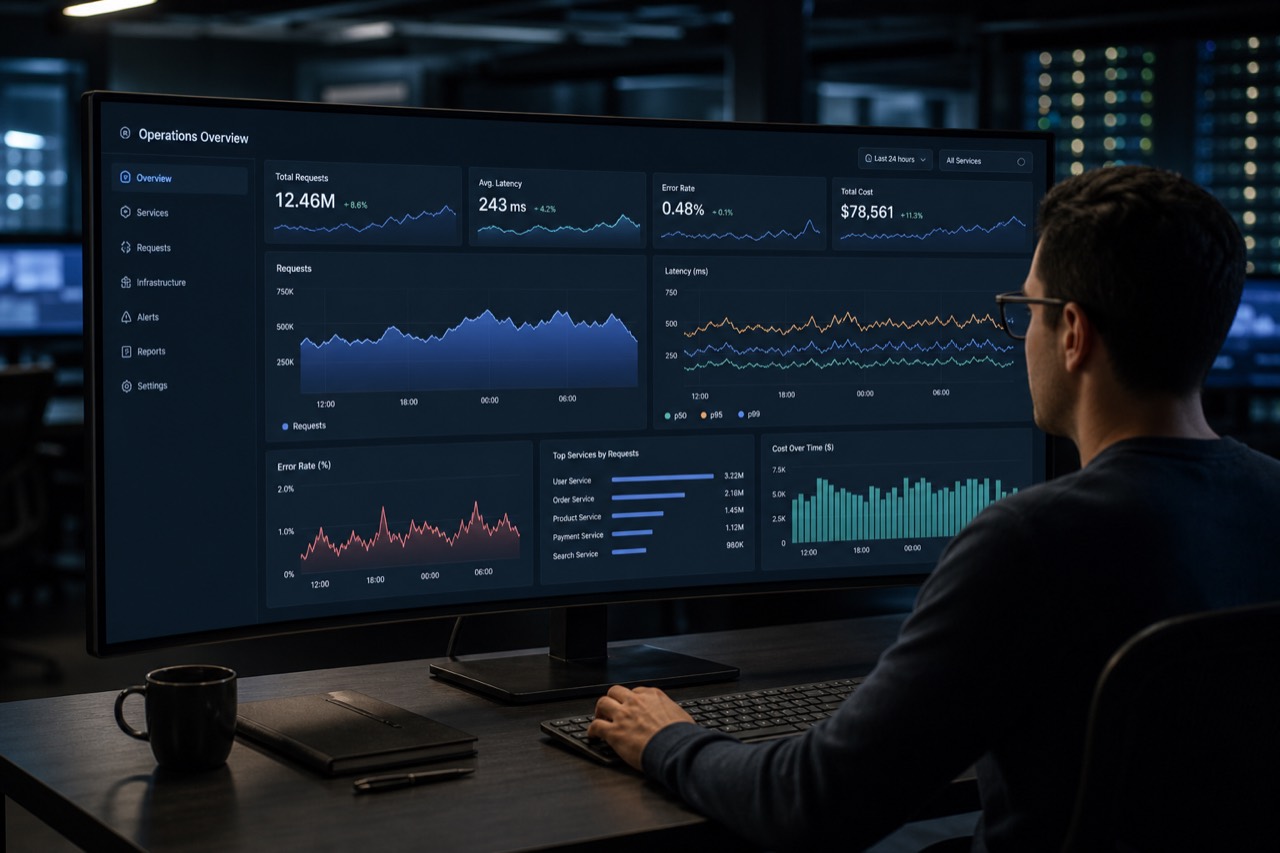
We monitor usage, quality, costs and errors, and adjust prompts, rules and integrations based on real use.
Cost
Digitup Studio projects start at €1,000, with delivery from 2 weeks. Above that, the price depends on what the agent does, which systems it connects to and how much information it handles.
| Component | What it includes | What it depends on |
|---|---|---|
| Development | Analysis, architecture, integrations, rules, dashboard and testing | Systems, channels, rules and volume of information |
| Model usage | What the AI provider bills for each request | Request volume, text length and model |
| Hosting and operations | Servers, monitoring and maintenance | Usage, support level and engagement model |
Depending on the project, you can pay for it as a fixed-scope project, spread the investment over 6 or 12 months, or choose Build & Run, with a monthly fee. The details are in our engagement models. If the agent is part of a larger platform, see custom software development.
Comparison
If the process is stable and the data arrives structured, rule-based automation is enough. An agent pays off when free text has to be read, interpreted or written.
| Criterion | Rule-based automation | AI agent |
|---|---|---|
| How it decides | Fixed conditions: if X happens, do Y | Interprets the context and chooses the next step |
| Typical input | Forms, statuses and structured fields | Emails, documents, messages and PDFs |
| Predictability | Same output for the same input | Can vary: needs limits, testing and review |
| Cost per run | Very low | Includes model usage |
| Example | A Stripe payment generates the invoice | An email is classified and a reply is drafted |
If your case is rule-based, we solve it as process automation.
Five published projects bring together the building blocks of an agent: models connected to proprietary data, rules, integrations and, in the chatbots, handover to people. None of them is an "autonomous agent".
Fit
It makes sense when there is repetitive work reading, searching and preparing information across several tools.
If you are not sure yet, our AI audit prioritizes the use case with the highest return before anything gets built. We will also tell you if we don't think it is worth doing.
What usually goes alongside an agent.
An AI agent is software that uses a language model to decide which step to take and then carries it out with tools: reading an email, searching a document or checking the CRM. Unlike a chatbot, which mainly converses, an agent acts in your systems, within the permissions and rules you define and with human approval for anything sensitive. Digitup Studio builds them for tasks such as classifying email, extracting data from documents or updating the CRM.
At Digitup Studio, projects start at €1,000. Above that, the price depends on what the agent does, how many systems it connects to and how much information it handles: an assistant that answers with your company's information sits close to the minimum, while an agent that writes to several systems costs more. On top of development come running costs: model usage and hosting. You can pay for it as a fixed-scope project, spread the payments over 6 or 12 months, or choose a monthly fee.
At Digitup Studio, delivery starts from 2 weeks. If the scope is clear, a first working version of the agent is usually validated within weeks using real cases. Complex integrations, with several systems and internal dashboards, may need more phases. That is why it pays to start with a single process: one well-chosen use case reaches production sooner than five at once.
Only for low-risk, reversible tasks, such as tagging an email or changing a task's status, and always with every action logged. For anything that affects customers, payments or sensitive data, the AI agent prepares the work and a person approves it before it runs. Autonomy is decided per type of action, not for the agent as a whole, and those limits are enforced by the backend, not left to the model's judgment.
Digitup Studio integrates models from OpenAI, Anthropic, Gemini, DeepSeek or Perplexity based on quality, cost, speed, privacy and the type of task. There is no single model for every project: the same agent can use a fast, low-cost model to classify and a more capable one to write, and the model layer is kept separate so you can switch providers without rebuilding the system.
Yes, as long as the system has an API or another secure way to read and write data. An AI agent can work with Gmail, Outlook, Google Drive, Google Sheets, your CRM or ERP, the WhatsApp Business API and your own databases. If your ERP works, it stays: the agent integrates with it using only the permissions it needs. We build the missing piece.
It depends on the provider and the type of account. OpenAI states that it does not use data sent to its API to train models unless the customer opts in, and that by default it keeps abuse monitoring logs for up to 30 days. Anthropic states that by default it does not use data from its commercial products, including the API, for training. Before sending any data, we review each provider's terms.
Rule-based automation always follows the same path: if X happens, do Y, using structured data such as forms or statuses. An AI agent interprets free text, such as emails, documents or messages, and chooses the next step. Automation is more predictable and cheaper per run; an agent needs limits, testing and review. Many solutions combine both: the agent reads an incoming email and extracts the order, and a rule-based workflow then creates the invoice.
Digitup Studio can maintain it: we monitor the agent's usage, quality, costs and errors, and adjust prompts, rules and integrations based on real use. With the Build & Run model, the monthly fee covers hosting, security, support and an evolution allowance. If you would rather your own team runs it, a fixed-scope project hands over the software and access once it is completed.
Digitup Studio is based in Madrid, at Calle Alcalá 211, office 7. We mostly work remotely with companies in Madrid, elsewhere in Spain and on international projects, and we can meet in person when the project calls for it. We can work in English, Spanish or Russian, depending on the project. The first call is a 30-minute, no-commitment conversation with Anton Zverev, our CTO.

Tell us which task you want off your plate. In a 30-minute call with Anton, our CTO, we will tell you how we would approach it, or whether it isn't worth doing.